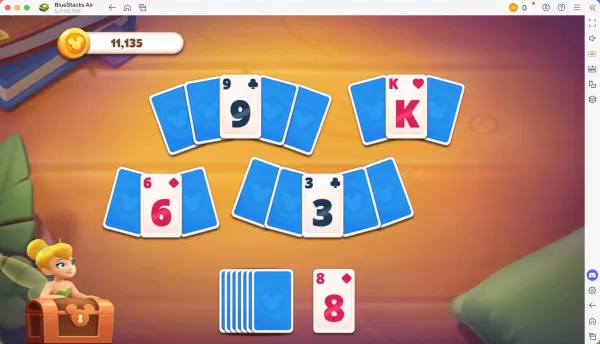
Disney Solitaire brings together timeless card game fun with enchanting Disney storytelling. Featuring stunning visuals, soothing melodies, and beloved characters, it delivers a delightful casual gaming adventure. For the ultimate experience, playing Disney Solitaire on Mac with its superior display and controls is highly recommended. BlueStacks Air provides the simplest solution—a lightweight Android emulator designed for macOS. This step-by-step guide will show you how to enjoy Disney Solitaire on your Mac with better performance and visual quality.
Experience Classic Card Game Magic with Disney Characters!
Playing Disney Solitaire on Mac offers distinct advantages, particularly with keyboard and mouse support. These tools provide pinpoint accuracy for card movements, making gameplay more enjoyable than touch controls. During our testing on MacBook devices, we confirmed the game's easy-to-learn mechanics that work perfectly for quick sessions—whether commuting, waiting, or relaxing at home. The game truly shines on Mac's brilliant Retina displays, showcasing every Disney-themed card in spectacular 4K clarity.
Advance Through Levels with Custom Controls!
Every completed level earns you stars to unlock new story sequences and Disney characters. BlueStacks Air enhances this experience by allowing complete control customization for Mac players. While default key bindings are automatically configured (accessible via SHIFT + TAB), you can redesign the entire control scheme to match your preferences. Create personalized shortcuts for every action, making your Disney card adventure even more fluid and responsive.
Easy Setup Guide: Play Disney Solitaire on Mac with BlueStacks Air
Follow these simple steps to begin your Disney Solitaire journey on macOS:
1. Download BlueStacks Air from the game's official page by selecting "Play Disney Solitaire on Mac"
2. Install by double-clicking BlueStacksInstaller.pkg and following setup instructions
3. Launch from Applications and sign in with your Google account
4. Search for Disney Solitaire in Play Store and install
5. Start playing and rediscover Disney magic through this classic card game!