ALZip: Your All-in-One Android File Manager and Compression Tool
ALZip is a powerful Android application designed to streamline file management and compression. Effortlessly zip and unzip files, manage your files with ease, and support a wide array of formats including rar, egg, and more. ALZip handles files exceeding 4GB, providing unparalleled versatility for all your file needs. Its intuitive interface simplifies navigation, offering easy access to local files and even enabling image viewing directly within archives.
Key Features of ALZip:
-
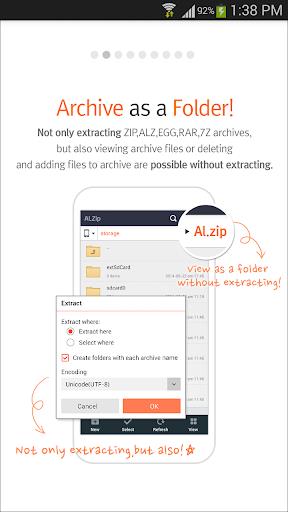
Comprehensive Compression and Extraction: Compress files into zip, egg, and alz formats, and extract a vast range of formats including zip, rar, 7z, egg, alz, tar, tbz, tbz2, tgz, lzh, jar, gz, bz, bz2, lha, and split archives of alz, egg, and rar. Handles files larger than 4GB.
-
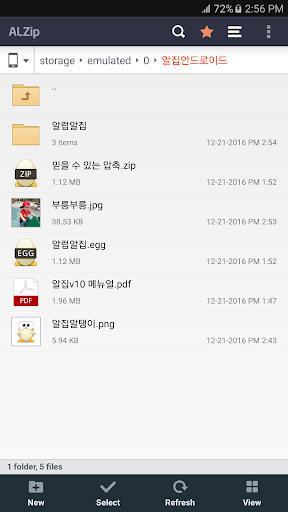
Robust File Management: ALZip functions as a complete file manager, allowing users to create, delete, copy, move, and rename files and folders. Its functionality mirrors that of a desktop file manager.
-
Intuitive File Explorer: Easily browse and access local files thanks to the app's user-friendly file explorer interface.
-
Integrated Image Viewer: View images stored within archives without the need for extraction, saving time and effort.
-
Powerful Search Functionality: Quickly locate files and folders, including those nested within subfolders, with ALZip's robust search capabilities. File management tools are readily available once files are found.
-
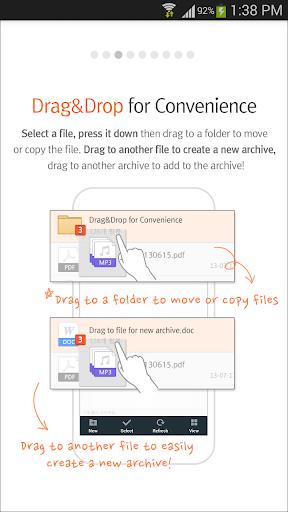
Drag-and-Drop Support: Enjoy the convenience of drag-and-drop functionality for seamless file and folder movement and copying. Compress files into archives and add compressed archives to existing ones with simple drag-and-drop actions.
In Summary:
ALZip combines powerful file management and compression tools into one convenient package, offering Android users efficiency, versatility, and ease of use. Simplify your file management tasks and experience seamless operation on your device.