zANTI APK: A Comprehensive Guide to Mobile Penetration Testing
Developed by Zimperium, zANTI APK is a leading mobile penetration testing suite designed for Android users. It provides advanced tools for network diagnostics and security assessments, making it invaluable for IT professionals and cybersecurity enthusiasts. This user-friendly toolkit simplifies complex security tests, allowing Android users to identify vulnerabilities and strengthen network infrastructure.
How to Use zANTI APK
- Download and Installation: Obtain zANTI from the official website and install it on your Android device. Remember to enable installation from unknown sources if necessary.
- WiFi Connection: Connect your device to a WiFi network. This is crucial for zANTI's network-related functions.
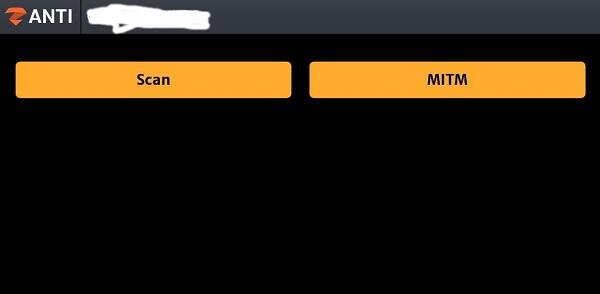
- Launch and Network Scan: Open the app and conduct a comprehensive network scan to identify connected devices and potential vulnerabilities.
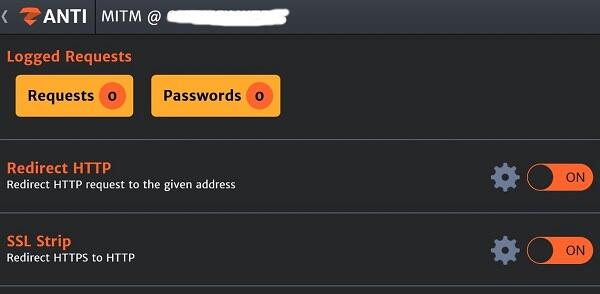
- MITM Attack Simulation: zANTI allows you to simulate Man-in-the-Middle (MITM) attacks, a key method for understanding and mitigating network security risks.
Key Features of zANTI APK
- Thorough Network Scans: Identify connected devices, open ports, and assess vulnerabilities. A vital tool for administrators to understand their network's security posture.
- Man-in-the-Middle (MITM) Testing: Simulate MITM attacks to pinpoint weaknesses and implement stronger security measures.
- Intuitive Interface: The user-friendly design makes complex security assessments accessible to users of all skill levels.
- Detailed Reports: Comprehensive reports clearly outline identified vulnerabilities and potential threats, enabling effective prioritization and remediation.
- Token Credit System (Optional): Access advanced features through a token-based system.
Best Practices for zANTI APK
- Software Updates: Regularly update zANTI to benefit from new features, bug fixes, and security improvements.
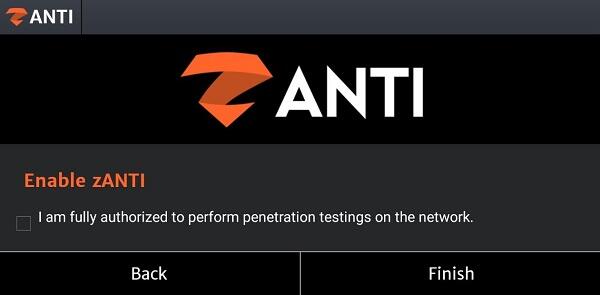
- Legal Compliance: Always obtain explicit permission from network owners before conducting any scans or tests.
- Report Analysis: Thoroughly analyze the generated reports to understand vulnerabilities and develop effective remediation strategies.
zANTI APK Alternatives
Several alternatives offer different functionalities depending on your specific needs:
- FoneMonitor: Focuses on mobile device monitoring, ideal for parental control or employee monitoring. It lacks the network penetration capabilities of zANTI.
- Wifi Protector: Primarily enhances WiFi security by detecting and neutralizing unauthorized access attempts.
- Vault: Prioritizes data privacy by providing a secure space for sensitive information. Unlike zANTI, it doesn't perform network penetration testing.
Conclusion
zANTI APK is a powerful tool for cybersecurity professionals and enthusiasts seeking to improve network security through thorough diagnostics and penetration testing. Its combination of advanced features and user-friendly design makes it an essential asset in mobile network security. Staying informed about emerging threats and utilizing tools like zANTI is crucial in today's dynamic cybersecurity landscape.